Posterous theme by Cory Watilo

10 SAT Study Solutions

Media_httpscienceblog_uecut

College entrance exams are seen by some to be the great equalizer.  In an attempt to counter grade inflation or resolve grade nonequivalence across schools, many universities turn to these exams to determine acceptance.  The debate rages on the fairness of these exams, but they currently remain a part of our nation's high-stakes testing giving both students and parents alike a grand dose of angst.

With the next two test dates approaching (May 5th and June 2nd), so loom these tests for many seniors, maybe juniors, and perhaps even the intrepid sophomore. What are your study options? You could hire a personal tutor or take an online preparation course, but perhaps all the prepping you need could be found in one of these online tools, or how about an app making it easy to study on-the-go. Check out this list of 10 possible choices:

 1.  Collegeboard.org - this should be one of your first online stops to get prepared for the SAT.  From getting registered to getting insight on specific test sections, the site can give you the information you need to develop your plan to attack your studying.  The site provides free sample questions to full SAT tests for you to practice your skills.  The clear and graphically -filled site provides you with the practice, practice, practice that can get you to that score you've been hoping for.

 2. Quizlet (free) - online flashcard generator.  No need to create your own bank of SAT vocabulary flashcards just choose from the hundreds of created flashcard banks to pump up your personal dictionary.   One of the more difficult challenges that students face on the reading section of the SAT is the vocabulary.  Quizlet provides a number of ways to learn ranging from the traditional flashcard look to games and tests.

 3. SAT Connect (free, currently) - this app is available for the iPhone, iPad, and iPod Touch. Provides a comprehensive review with diagnostic tests, practice, and review opportunities. The vocabulary builder has a flashcard-type mode or a list format.  It is also full of little tidbits like test format, timing, order of difficulty, pacing, and so much more.
(Available at Apple App Store)

 4.  SuperKids - if you're old school, try this site.  It provides a guide to some of the traditional software available for college board exam review.  The site gives you a review of the software's capabilities, compatibilities, and cost.

 5. Adapster ($9.99) - if your math needs brushing-up, here's an iPhone app that creates a personalized lesson review based on the results of a diagnostic test.  Practice, review, and test according to your needs with this app, since it monitors input to create output that suits you.  
(Available at Apple App Store)

 6. SAT Vocab Challenge Vol. 2, by the Princeton Review ($4.99) - challenge yourself on the 250 most frequently encountered words on the SAT.  There are games, reviews, and monitoring within this app.  Wonder how you're doing, this app will track your progress so you can review the vocabulary you've learned.
(Available at Apple App Store)

 7. Kaplan SAT Flashcubes (free) - gives you many ways to study your vocabulary, self study, multiple choice, or custom lists.  Increasing your SAT score may rest on improving your vocabulary, and this app helps you do it by keeping track of your responses and generating reports to refocus your study.
(Available at Apple App Store)

8. SAT Sentence Prep TestBank (4.99) - Here's an Android app that helps with the sentence completion section of the exam.  Although this app has many great features, such as multiple choice questions, tracking of your performance, and advice and tips, what makes it even better are the explanations why answers are correct!

 9. SAT Math ($4.99) - this is your choice for Android users.  This app provides quizzes, solution explanations, and monitors a users performance to continuously provide review of areas of weakness.  If even the word "math" makes you break out in a cold sweat, then a mobile app may be your solution to everywhere, anytime studying.

 10. Flash of Genius ($2.99) - This Android app has been written by SAT and GRE Harvard and MIT tutors.  This app tracks your performance and also gives your audio for correct pronunciation of words. 

'Sex and Dating' - Encouraging Feedback With Poll Everywhere

Cam BrennanThe following is a guest post by Cam Brennan. Cam is the Youth Pastor at Fellowship Bible Church in Kansas and author of the blog aNewGravity.

Sunday night, the 26th of February, we had our first ever Q&A panel on ‘Sex and Dating’ for the students in the youth group at our church, Fellowship Bible Church. The panel consisted of 8 adults, ranging in age from 23-49, some married and some not. These 8 adults are part of the team of sponsors that help run our youth group every week of the year.

In order to encourage the participation of our students in the Q&A session we used Poll Everywhere to create an anonymous poll, allowing the students to text their questions in. This accomplished a few things for us:

  1. Upheld the anonymity we knew would encourage our students to ask deeper, more personal questions,
  2. Encouraged the students to really pay attention to what the sponsors were saying because they were directly answering the student’s questions,
  3. Allowed sponsors to focus on the question itself and not who asked the question,
  4. Allowed students to directly participate via their phones, which was great because students always love ‘cool’ ways to do things,
  5. Allowed me to moderate the questions and weed out any questions that were either glaringly inappropriate or off topic (of which we received just a few).

Our students asked questions ranging from advice on when to break up to wondering what to do if you’ve already had sex. We had questions about making out and boundaries along with questions about marriage and if it is boring. You can find a majority of the questions that were asked here, along with the answers given.


We had nearly 30 students participate Sunday night and based on the questions they asked it is clear that being sexually active is not only a temptation for them but is something they are feeling the pressure of.


Going into the night I had no idea what to expect. I was unsure if the students would participate and I was unsure, if they did participate, what sorts of questions they would ask.  There was a lot up in the air as we started, but by the end of the night I was more than pleased with how it went. Using Poll Everywhere was a great way to encourage our students to ask the questions they really wanted to ask, without having to raise their hand and ask it in front of everyone else. I’m convinced that had we done it ‘the old fashioned way’ the night would have been a flop.  We had a great time and we will definitely do more nights like this in the future.

The Modern Middle East: Using Poll Everywhere in a History Survey Course

The following is a guest post by Sarah Shields. Professor Shields teaches history at UNC concentrating on "The Modern Middle East." She shares her ongoing experiences with teaching a large survey course on her blog, Teaching the Modern Middle East.


I had been on research leave for months, but I still couldn't stop thinking about how to conduct a big lecture class in a way that was consistent with my teaching philosophy.  A colleague told me about clickers; and I was intrigued with the idea of using a classroom response system, but I couldn't figure out how it would fit into a history course. What kinds of questions could I ask?


Over the years, I have come to question the large lecture course as a way to teach the skills we want history students to acquire. We can tell them things, show them how to explain what happened in the past and why it matters, but the very act of lecturing seems antithetical to teaching critical thinking and analytical skills.  The best we can do is show them how we, the historians, arrived at our conclusions.   Science educators concluded long ago that students only learn science when they actually do science. I wanted to give students an opportunity to struggle with the kinds of issues historians face, to engage them in the process of figuring out how to decide which sources we rely on and which narratives we emphasize.


After talking with UNC's Center for Faculty Excellence, I decided to try Poll Everywhere. Although I knew that it could not create a whole new kind of critical learning structure, I hoped it could keep students engaged and help them think about the big questions--instead of just learning the desired answers.


As I have progressed through the semester, I have discovered ways I can use this technology to give students more of a voice in the classroom.  Here’s what I’m doing:

Each lecture, I use Poll Everywhere at least twice:

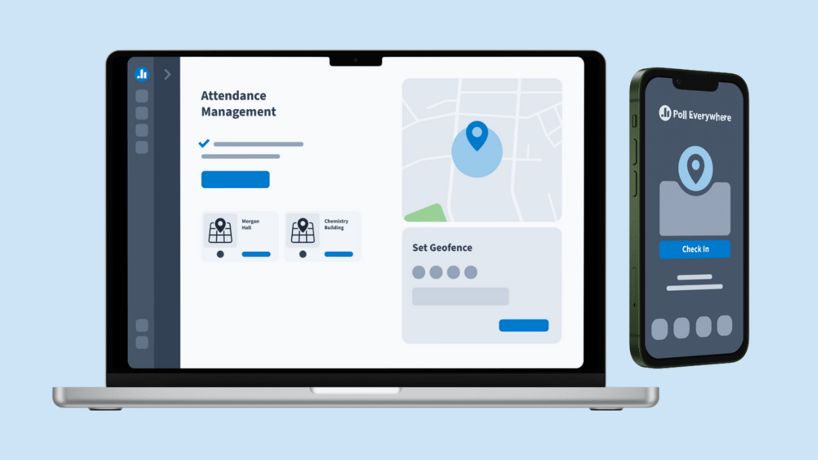
  • At the beginning I take attendance (their phones are registered) by asking the students to respond to a multiple choice trivia-style question about the Middle East
  • At the end I post a slide for the students to text their questions.  I have been getting more questions--and more complex questions--this semester than ever before, often questions that anticipate the next lecture.

As I rethink my old lectures, I have tried to focus more on big issues than on narrating events:

  • I often ask students to consider options or alternative ways historical actors might have dealt with things in the past; e.g. how could the Great Powers have reconciled their colonial interests in the Middle East with their promises of self-government? This allows the students to contemplate the options as they would have appeared in 1918, and to bring the things they learned earlier about the Ottoman Empire, the Middle East, and the Great Powers to bear on the "current" problem.
  • Sometimes, I ask students to talk with each other in pairs or small groups, then text their responses to Poll Everywhere.  The students seem fascinated with reading each others' responses, gaining a sense of alternative possibilities and having an opportunity to consider new ideas.  
  • When I post student responses on my blog, I use wordle. In one question, I asked my students to figure out how Great Britain could reconcile two apparently conflicting promises contained in their mandate for Palestine after World War I: Arab self-government and a national home for the Jews.  Their responses:

Word_cloud

Other Findings

  • Students' participation through Poll Everywhere has also emboldened them to speak out without using the technology--though volunteering to speak in front of more than 200 students remains a daunting prospect for many.
  • The success of Poll Everywhere in my classroom has encouraged me to seek out other technologies to enhance engagement and learning for my students.
  • The new technology has not created the equivalent of a lab for history students, but it is making my students engage more actively with the problems of historical interpretation, analytical reasoning, and the critical analysis of sources.


I welcome suggestions for other ways I might use this technology in history courses.


Power User Tip: Submitting Multiple Votes With One Text

Weight_lifting
You probably know that we use Keywords or Codes to process votes and send them to your particular polls. For most of our users this involves an audience following along with a live presenter and submitting their answers to polls as they are displayed on stage or in a classroom.

"What if I want to receive multiple votes on the same poll from each of my participants? Or What if I have a bunch of polls' instructions written down on posters or handouts?

Do my participants have to submit a separate text or web vote for each poll?"

Nope! You can submit multiple votes in one text message, one tweet, or with one web response (www.pollev.com). Here's how it works:

  • Enter the keywords or codes separated by a space into the "message body" of your text message, tweet, or the pollev.com page. You can enter as many multiple choice options as you like. Just make sure you don't send half of a keyword if you get to the character limit on your phone. (Typically 130 - 160 characters depending on the carrier.) 
  • The votes will be submitted and processed all at once, whether you're voting on one poll or several. (Make sure you have your polls set to accept multiple responses per participant if applicable.)
  • When using the session feature, you can start your message with the session keyword (to join the session) followed by the single digit answer codes to submit multiple votes within a session.
  • What about Free Text Polls? - You can include a response to a Free Text Poll, as long as you enter it as the last vote in your response. If you enter another poll's keyword after a Free Text Poll's keyword, you will simply submit that keyword within your response to the Free Text Poll. (Note: It is best to vote on a Free Text Poll with one text message because you have a character limit when responding via SMS. So, the less votes included in that message the more space you'll have for your reply.)

Try it out! Send a message with multiple keywords.

(download)

(Ex: Text "1ofmany 3ofmany 6ofmany" to 22333)

Good News for Promethean ActivBoard and ActivInspire Users!

The latest version of Promethean's ActivInspire software now supports the ability to embed HTML in your Flipcharts ... so what? Well, that means you can now easily integrate Poll Everywhere with your Promethean interactive whiteboard!

Here's how:

First, you want to make sure you've updated to the latest version of ActivInspire (1.6.47432 at the time of this post). You can do this by opening the help menu and selecting 'Check for updates...'

(download)

Next, you'll need to grab the necessary embed code for your poll. This can be found under the 'Share and Publish' menu when viewing a poll by clicking the 'Blog or webpage' link. You're going to want to copy the code for the 'Live Chart Widget.' (Note: The width and height parameters of the poll are contained in this object. You may need to adjust these to make the poll legible when embedded in your Flipchart.)

(download)

Now, open the Insert menu in ActivInspire and select 'Embedded HTML' from the 'Link' section. Then just paste the code copied from the 'Live Chart Widget'. Notice in this example we've changed the height and width parameters to be larger, so our chart won't be too small when embedded in the Flipchart.

(download)

Success! The embedded poll will receive and display live votes as long as you have an internet connection.

6success

You can edit the embedded object in ActivInspire by clicking the blue bar or clicking and dragging to select it. This will allow you to move, resize, and adjust the object's properties.

(download)

By Popular Demand: Image Support, Math Equations, Sub and Superscripts

For over a year now we've been receiving an overwhelming amount of requests for a new feature: Voteable Images. We waited this long so you'd really be desperate for it. Just kidding, it's actually really hard to do right.

You probably know how to edit the visual settings of your poll and add a logo or background image to your polls. This is different and even more awesome. You can now add images to your polls as options in a multiple choice poll.

(download)

We're also releasing full LaTeX support. Now all you math and science teachers can add beautiful equations. To create LaTeX, you can use a builder, a cheat sheet, a Google Docs plugin, or just recogize your math handwriting. Start your option with "latex:" so we know to convert it properly

(download)

Thanks for letting us know what you wanted. Now get out there and show us what you build! And since we're clearly out of work to do, suggest something new.


Should Badges Replace Diplomas?

Meritbadges
Find a subject of interest, receive some counseling, fulfill requirements, and receive your badge! This is an abbreviated version of the process needed to earn merit badges through the Boy Scouts, but it's a process being promoted in higher education as a revolutionary way to prove skills and knowledge. A recent article in The Chronicle of Higher Education addresses the rise in alternative higher education practices that include the bestowing of badges on individuals to show competency in a particular skill or even behavior.  The growing interest in badges has been heightened by Mozilla's Open Badges project advertised as "making it easy for anyone to issue, earn and display badges across the web -- through a shared infrastructure that's free and open to all."

Promoters of the open badge system cite lower education costs and recognition of specific skills as benefits of this program.  Badges can be given for learning a particular computer program, developing a website, or answering questions from users in an open learning environment, to name a few.  Many supports of badges believe there are skills that employers are looking for that may not be evident on traditional diplomas.  Badges aim to highlight with specificity the potential of new employees.

Statistics have shown that college graduates continually out-earn workers with only a high school diploma.  In an article by the Brookings Institution, this fact holds true even in our current economic recession.  The question remains, what weight will employers give these virtual badges, and will they come to pose a significant challenge to traditional diplomas?  In December, Brookings further reported on the importance of education and training in growing industries. Perhaps badges can play a role by filling this need by specifically targeting skills that employers are seeking.   The value and legitimacy of learning achieved through a badge system will come under heavy scrutiny, but it stands as an additional threat to traditional universities as educational costs rise and alternatives to education grow.


Is Open Source an Option?

Media_httpwwwedgovblo_dgfcc

It isn't a secret that school budgets are shrinking, and often one of the first areas hit is the technology account.  The question is how to create a 21st century learning environment while still balancing the costs that go with it.  One alternative may be to turn to open source software (OSS) in place of commercial software.  Although the open source choices that districts have before them are immense, many districts still prefer commercial software.  Maybe it's the name brand appeal, a concern about the quality of free software, or just a lack of knowledge about what is available for use, but the choice does exist, but is it right for your district?

Maybe it's economy driven, but the popularity of open source software in schools continues to grow and may hold the answer for some cash-strapped districts.  The Journal provides a great review of Learning Management Systems that many school districts have turned to.  Through an analysis of Moodle vs Sakai, or even cloud-based solutions, this article makes the argument for open source remedies that can save districts money and provide freedom from licenses. Learning Management Systems can enhance content delivery but can also be costly, running into the thousands, making OSS an attractive substitute.  

Open Source Schools is a site that focuses on the possibilities that open source software can provide to schools.  Whether your district is looking at full or partial acceptance of open source, the "Software Directory" on this site is worth giving some time.  It gives free alternatives to some expensive proprietary software including great introductory programming software such as Scratch, and vector drawing programs such as Inkscape. 

This site for the Kim Komando Show has a list chock-full of freeware and web tools for both school and business.  It covers stargazing, calculators, and plagiarism, to many, many more topics.  Here's a no nonsense listing of useful tools that any district could find useful.  It's also a user-friendly site with links and operating system compatibility.

Does it meet the needs of the district?  The answer to this question is of course the most important element to consider.  If an open source alternative can be substituted for costly commercial software, perhaps this is the time to give it some thought before students are left out of the technology loop.  Although there are some districts that have been fortunate and able to purchase entire suites for their schools, the problem remains what happens when students leave school and those applications are not on their home computers?  Open source can bridge the gap between home and school.  Perhaps the idea of switching a district's entire operating system to an open source alternative is not appealing; however, the pressure on a school's budget can still be eased with individual open source solutions. 

Our students must compete with a global population, a population that will not stop learning and innovating because U.S. districts have stagnated funding.  Finding new ways to continue to keep our students competitive is vital and OSS has grown and matured to become a viable consideration. 

Root Cause Analysis for This Morning's Downtime

...and we're back. What happened?

A non-critical service that was running on our database server was leaking memory, which started chipping away at the memory available to the database. Eventually the database stopped responding, but when that happens in our system, it's suppose to fail-over to a backup database. Unfortunately, the fail-over didn't work correctly and left our database cluster in a state that took way too long to recover.

What do we plan on doing about it?
1. We're going to move any non-critical database service off of the database servers so that any instabilities don't impact the database.
2. We will make changes to our fail-over strategy that should make the process more reliable. We'll also thoroughly test this process and procedure to reduce the amount of time it takes when a problem does happen.
3. Break Poll Everywhere into several smaller pieces so that when a certain component, sub-system, or server fails; it affects only a small piece of the application and not the entire website.

Outages like this are absolutely inexcusable, and we are sorry.

Over the last year, we have maintained over 99.9% uptime. But we know that you and your customers use Poll Everywhere under real-time, high pressure situations; and when events like this occur, it chips away at the trust you have in us. We work hard to gain and maintain this trust, and we fully understand how easy it is to lose. When situations like this do occur, we know that the best thing to do is be transparent about whats going on--and what we plan on doing to fix the problem and make sure it never happens again.

Thank you for your patience, and for your continued trust in Poll Everywhere. 

No Email Address? No Problem! - Registering Participants or Students Without Email Accounts

There are two main ways to register and identify your respondents: An invitation link that you share and importing participants via uploading a list. (Need a quick review? Check out our last participant post here.) This post will discuss how to register participants, when you don't have an email address for them.

You can also identify voters in a quick & easy (but less formal and organized) way by using free-text polls to gather personally identifying information and cross-tabulating responses across other polls by using our reporting feature. Read about this more casual, quick approach here.

Presenters, meeting planners, and teachers already have a full list of who should be allowed to participate on their polls. Registering your respondents allows you to identify their responses and restict your polls to only allowing votes from people on the list. To upload this list into the system you'll need to create a .CSV file with your participant data seperated into specified columns. We show you the necessary order of these columns.

(download)

Only email, first name, and last name are required. You can also include a password, a US phone number, and a "responding as" identifier for example a nickname or student id. Remember, you can set a default password for all of your participants or even copy the last name column into the password column on import to make login easier as well!

Hold the phone! You just said "No Email Address? No Problem!" What if I don't know my participants' email addresses, or they don't have one (like some K12 students). 

Well, turn that frown upside down gentle reader. While we do require an email address, we don't require that email address to be certified or even real for the account to function. What does this mean? It means if you have participants without a known email addresses, we suggest you make them up!

How do they login to the system to then vote?

You would to tell each participant what email you used for them if they don't know which one it is already. If you set a default password for all imported participants, you'll also need to tell them that too. The one exception to this is if people are responding via text message and you have supplied a valid US phone number. In that case, the mere act of responding via text message from that handset means our system knows who they are from your uploaded list (no "logging in" or "password required" in the case of sending a text message).

Won't they need to be able to receive email when they forget their password?

Here's a suggestion. It's simple to create one email address that can act like hundreds by using the plus sign. That way a password reset link can find it's way to you. For example:

Besides, in the event of a forgotten password, you can always reset it for them from your list of registered participants.

Setnewpassword

Looks like you have a .CSV file to go work on. Cheers!